> ## Documentation Index
> Fetch the complete documentation index at: https://docs.aiohub.org/llms.txt
> Use this file to discover all available pages before exploring further.
# Add funds
> Add account balance and understand where to view payments and usage.
AIOHub uses usage-based billing. You can pay with prepaid balance or a subscription plan. If your account has both a subscription plan and balance, subscription allowance is used first.
## Add funds
Open [wallet management](https://api.aiohub.org/console/topup), choose an amount on the **Add funds** page, and complete payment.
Self-service payments are not available during the current promotion period. Contact an admin to get a top-up code or to activate a subscription plan.
### Contact an admin
Contact an admin by email: **[support@aiohub.org](mailto:support@aiohub.org)** or **[admin@aiohub.org](mailto:admin@aiohub.org)**
* Working hours: reply within 10 minutes
* Weekends: reply within 3 hours
* After midnight: admins are offline
### Invoices
| Type | Notes |
| ---------------------------------------------------- | --------------------------------------------------------------------------------------------- |
| Mainland China VAT special invoice / general invoice | Requires an additional 6% VAT payment |
| Hong Kong invoice | Personal-account and company-account transfers are supported; confirm the tax amount by email |
| No invoice | No additional fee |
All invoices are real compliant invoices and can be used for reimbursement. Ask your company's finance or reimbursement team for the required details, then confirm the invoice information with the admin.
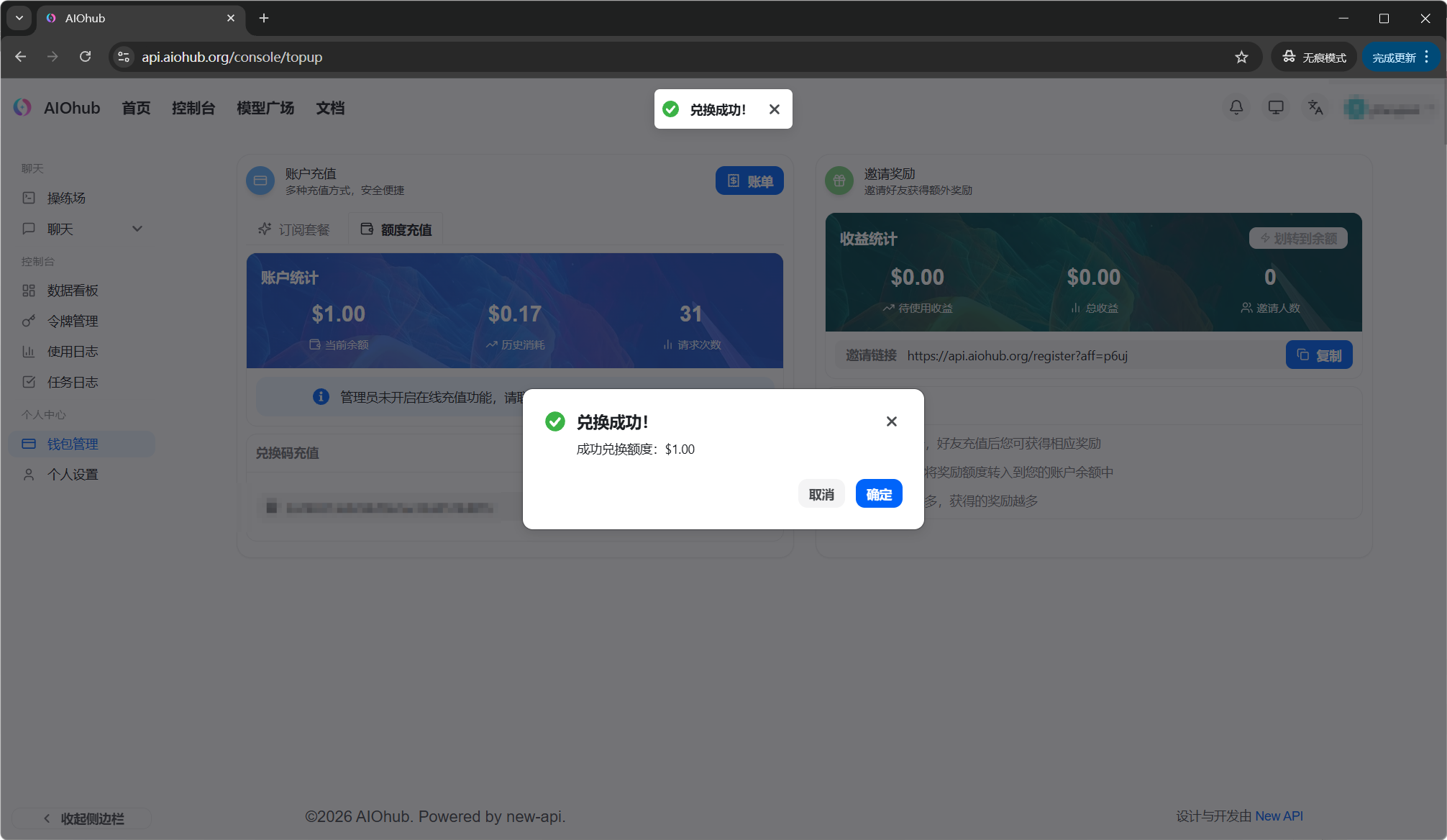
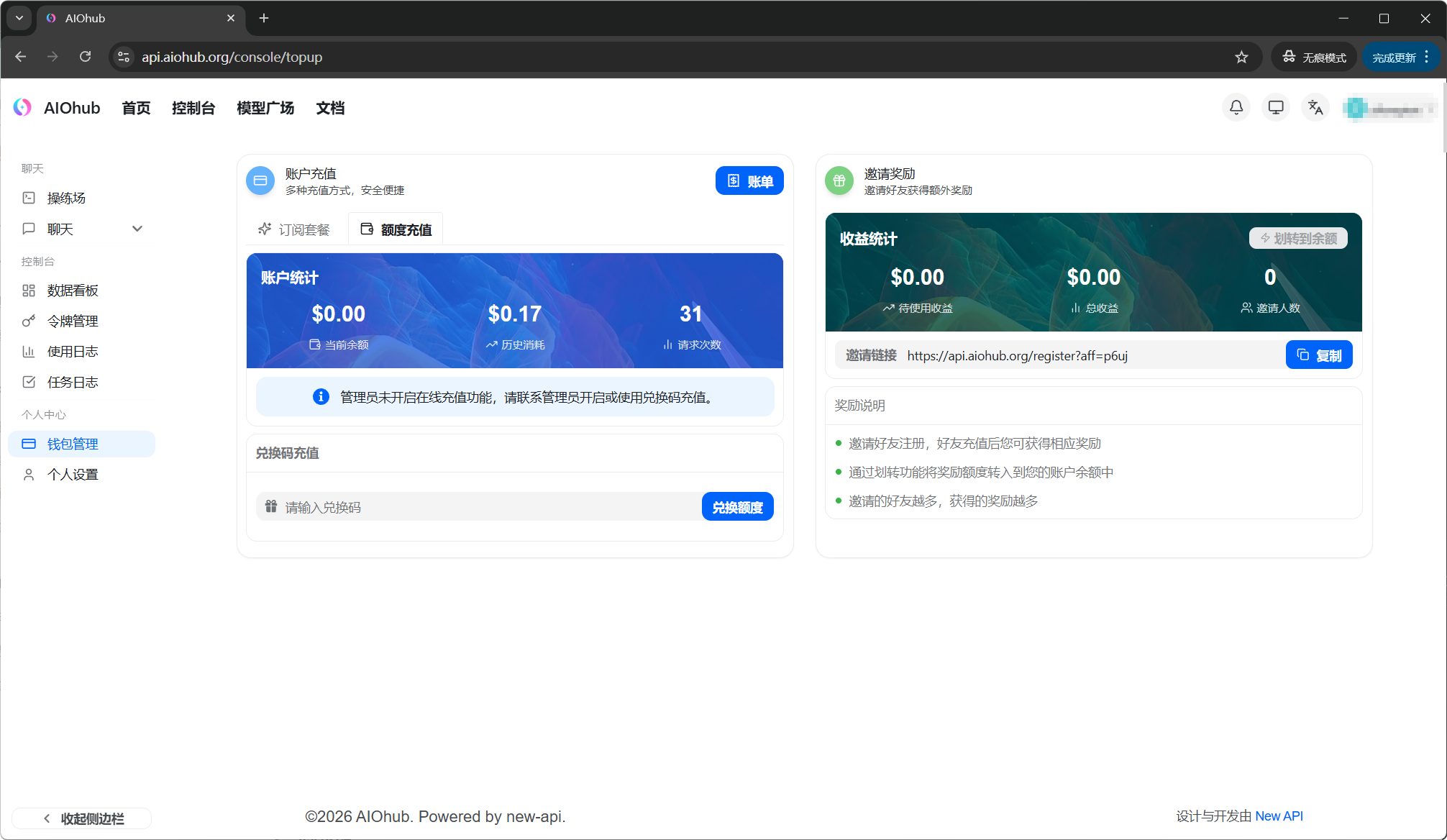 When balance is added successfully, wallet management shows the updated amount:
 ## Subscription plans
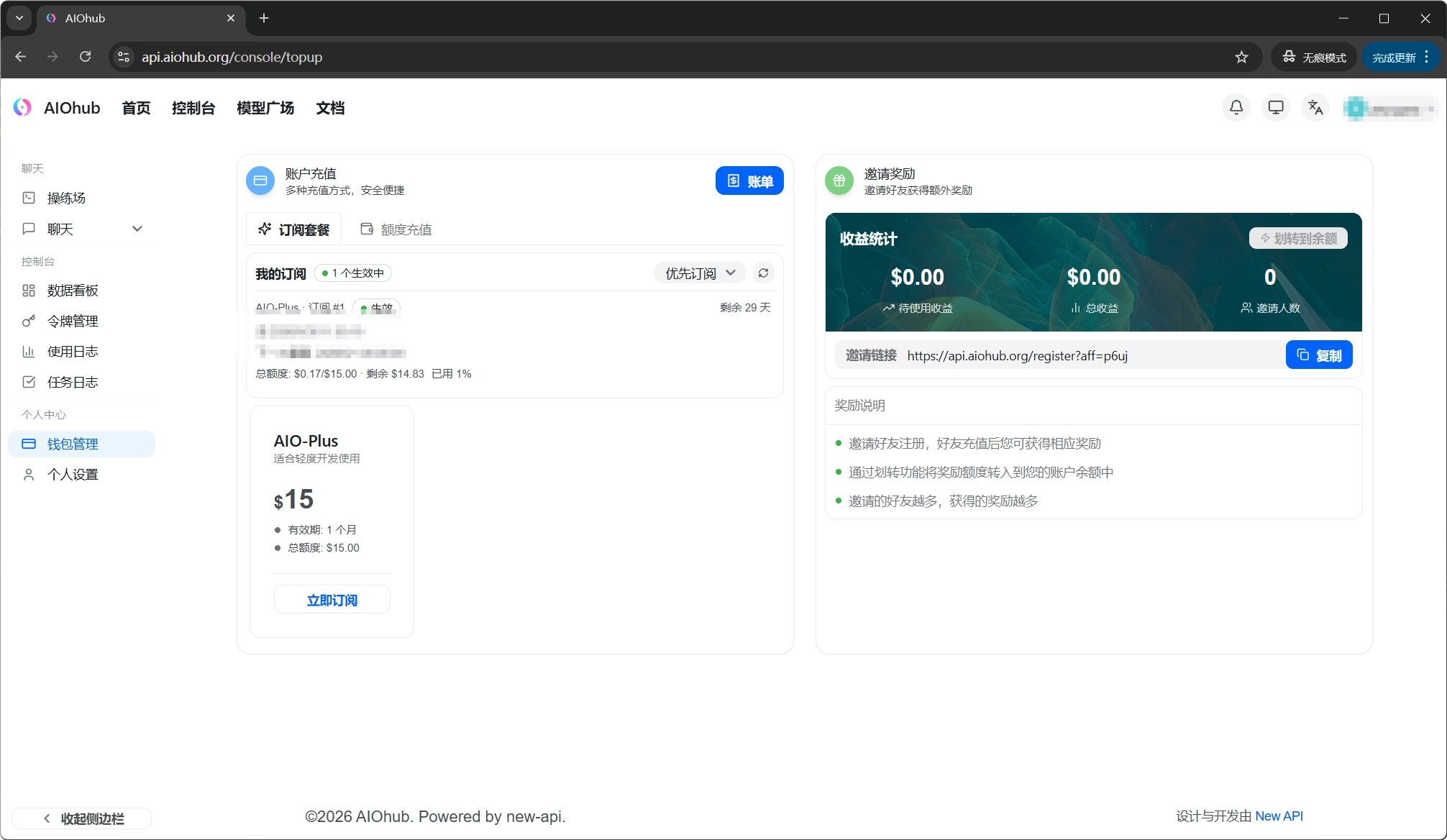
If you use AIOHub continuously, you can also use a subscription plan. A subscription plan includes a fixed usage allowance. Usage beyond the plan is charged to your balance.
## Subscription plans
If you use AIOHub continuously, you can also use a subscription plan. A subscription plan includes a fixed usage allowance. Usage beyond the plan is charged to your balance.
 ## View usage
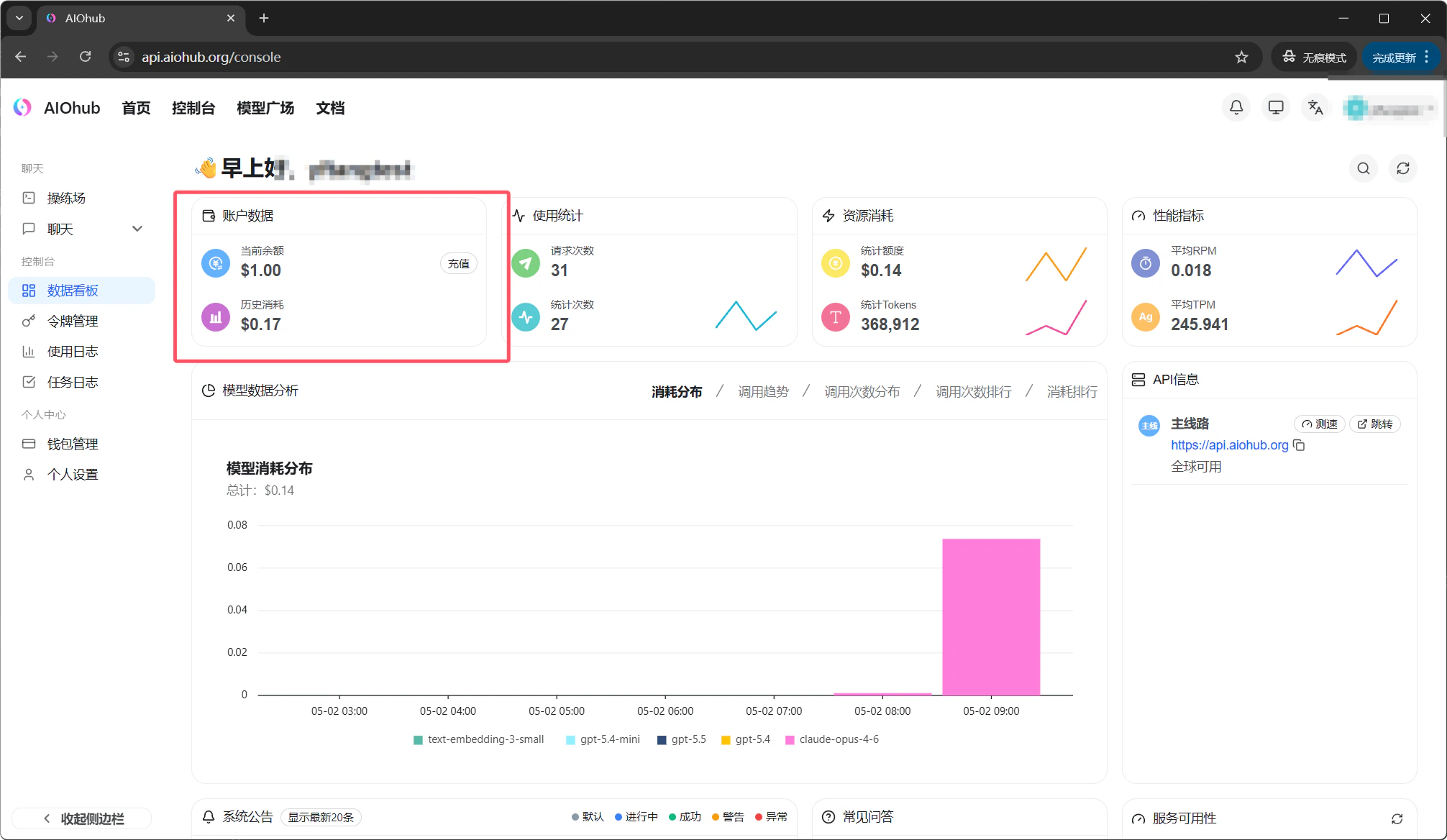
In the console **Dashboard**, you can view your balance and overall usage:
## View usage
In the console **Dashboard**, you can view your balance and overall usage:
 You can also view detailed records on these pages:
* [Payment history](https://api.aiohub.org/console/topup)
* [Usage records](https://api.aiohub.org/console/log)
## Insufficient balance
When your balance is too low for a request, API requests return an error. Once you add funds, requests resume without restarting the client.
Payment processing times, accepted methods, refunds, and invoice rules follow the current console page and service announcements. Contact an administrator if you are unsure which path is available to your account.
You can also view detailed records on these pages:
* [Payment history](https://api.aiohub.org/console/topup)
* [Usage records](https://api.aiohub.org/console/log)
## Insufficient balance
When your balance is too low for a request, API requests return an error. Once you add funds, requests resume without restarting the client.
Payment processing times, accepted methods, refunds, and invoice rules follow the current console page and service announcements. Contact an administrator if you are unsure which path is available to your account.